What's New in BillQuick 2009?
BillQuick 2009 is packed with over 200 new and improved features that simplify tasks, boost at-a-glance information, and add flexibility. Focused on maximizing your billable hours, BillQuick 2009 fine-tunes workflows and processes to help you speed up billing and cash flow. These improvements are the result of suggestions and insights from thousands of BillQuick users. In other words, BillQuick is your solution. Ultimately, improving the value of your BillQuick investment is what it is all about.
Big Features added to BillQuick since 2006^ ![]()
Click to Enlarge
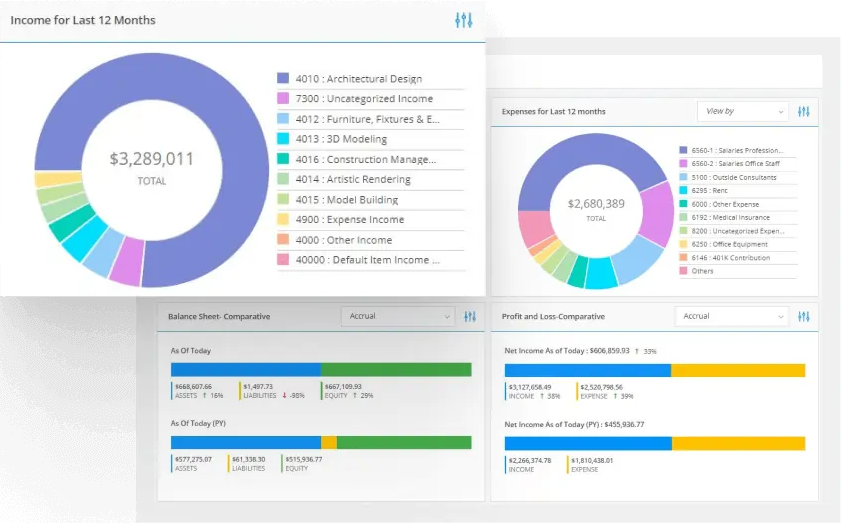
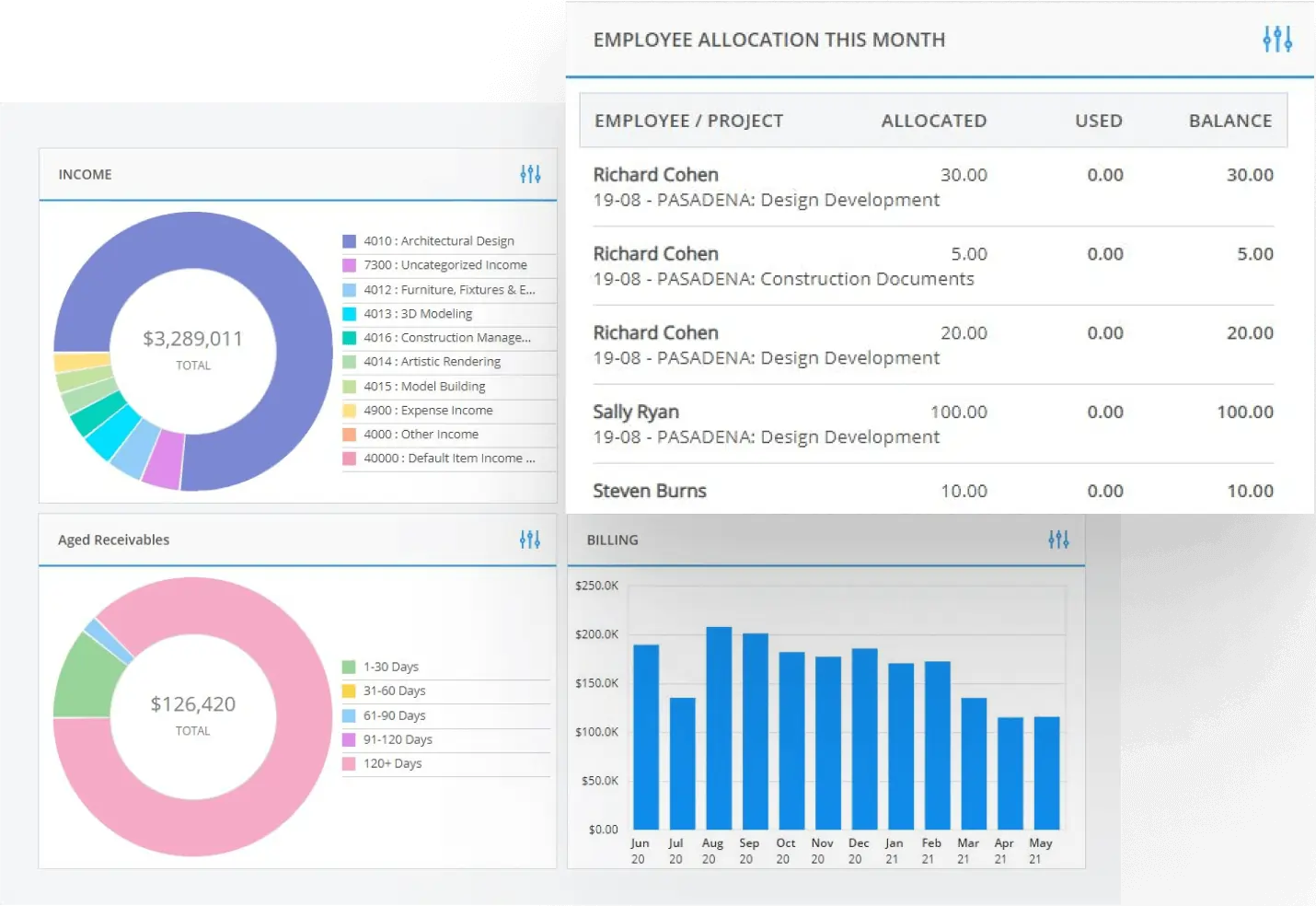
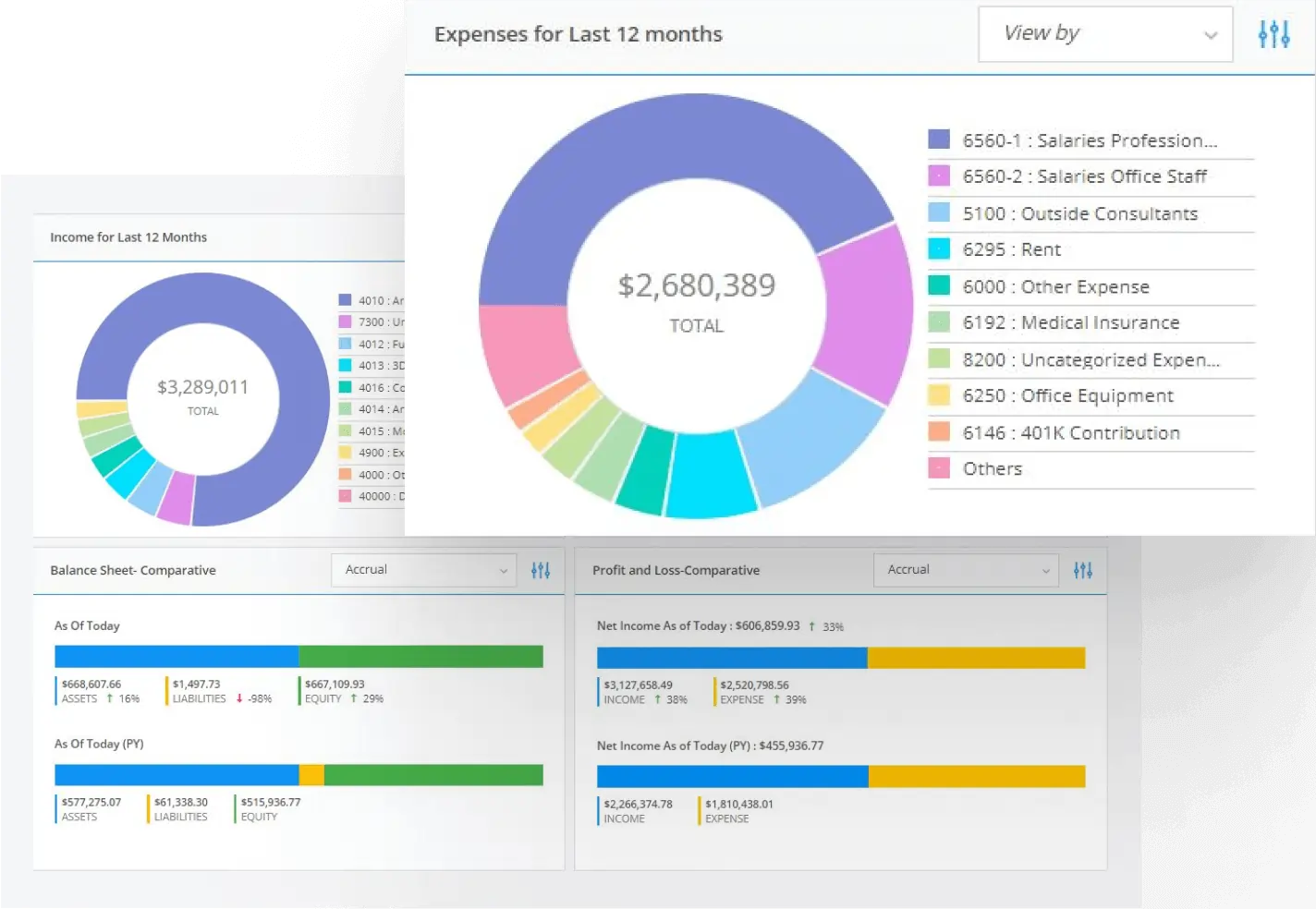
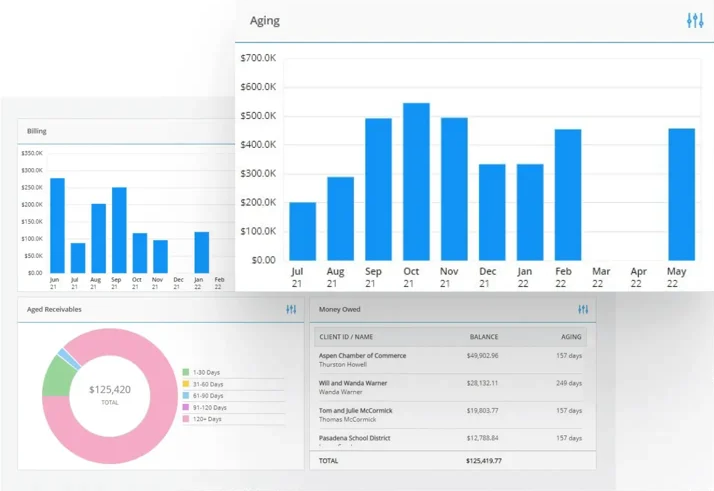
New Dashboard
Dashboard presents your business critical information at-a-glance. No waiting for reports. No turning page after page to find exceptions. A prefect tool to monitor the key performance indicators of your business in real-time.
Click to Enlarge
File Linking
Ever wanted to link a document to your time entry or attach a copy of sales receipt to your expense entry? BillQuick 2009 gives you the power to link any type of document to your data. File linking is not limited to Time and Expense. You can link documents to Employee, Client, Project, Vendor, Purchase Order, Vendor bill and Invoice too.
Click to Enlarge
Built-In Report Customization
By popular demand we added the most requested report customization features to BillQuick 2009. Change the look and feel of over 475 reports and invoices. Save your changes and make it your company default.
Other Key Features Added to BillQuick 2009
-
Click to Enlarge
Simple Expense Log
A brand new Simple Expense Log screen allows you to enter expense quickly and easily.
-
Click to Enlarge
Report Filters
Ever wanted to run a report for a selected list of clients? In BillQuick 2009 we have added the feature to allow you to select discrete items to filter your report by. You no longer have to live with the "From" and "To" range selection. This powerful feature gives you the ability to limit your reports to the information that you care for and will save you time by not having to flip through too many pages.
-
Click to Enlarge
Vendor Bill and Purchase Orders
When you create a vendor bill, BillQuick 2009 now automatically detects the unbilled time and expenses related to the vendor. You can quickly and easily select items to include in the vendor bill. No hoops to jump through, no reentering data.
-
Click to Enlarge
Global Spell Check
In BillQuick 2009, we have taken spell checking to a new dimension. Not only have we added the check-as-you-type feature to Time Cards and invoices, we have also implemented a batch spell check feature in most screens.
-
Click to Enlarge
Project based Custom Invoice Number
In addition to the custom invoice number for your company, BillQuick 2009 now gives you the power to assign a custom invoice number sequence per Project/Engagement. This feature gives you the power to meet the unique customer needs and at the same time organize your project invoices. Sorting by invoice number in the Invoice Review screen will serve a dual purpose.
-
Click to Enlarge
Retainage + New Cost-Plus Contract Types
On popular demand we have added two new contract types in BillQuick 2009. The "Cost + Fixed fee" and "Cost + Percentage". No more exporting your invoices and editing them to handled the clients with Cost-Plus contracts. The built in intelligence in BillQuick 2009 will figure out the Fixed fee portion that you can bill for such contract types saving to you manual calculation time.
-
Click to Enlarge
Allocate Hours by Activity Group
The self-policing feature has been improved. You can now assign hours to any employee without having to specify a specific Activity. Instead you can specific an Activity Group or "All" activities.
-
Click to Enlarge
QuickBooks GL Accounts per Project
For QuickBooks users, specific General Ledger accounts can now be assigned to a project for invoice items and retainers collected and applied.
-
Click to Enlarge
Assigning Employees and Projects Made Easy
New on the Employee and Project screens, you can now review and assign employees to projects and projects to employees. Also new in 2009 is the ability to easily reassign employees in Project Control and Employee Control.
-
Click to Enlarge
Expense Part of the Contract
By user request, BillQuick now adjusts its business processing for situations when expenses are part of a project contract. A simple click of the mouse implements this new business rule.
-
Click to Enlarge
Company
Closing Date in company screen prevents editing of items older than closing date. Impacts Time, Expenses, Invoices and Payments.
-
Click to Enlarge
SMTP Support
Remember the annoying prompt from Outlook when you were sending an invoice or report via email?
-
Click to Enlarge
New Themes
BillQuick users asked for a little more fun in their software. New themes are available on the User Preferences screen. Match BillQuicks skin to your personality. Among the new themes is a new default: Pear. Go Green!
Ready to Buy/Upgrade?
Call 888-245-5669 | Email Sales